In March 2026, AI logo generators have matured into powerful allies for rapid branding. Powered by advanced diffusion models, fine-tuned generative AI, and curated design datasets, these tools turn a simple text prompt into scalable vector logos and full brand kits in minutes — no design degree required.
For bootstrapped founders testing MVPs, freelancers delivering quick client concepts, or small teams in Punjab building online presence, AI design tools solve the classic pain points: high cost, long timelines, and limited iteration. Modern platforms blend prompt understanding (via LLMs) with visual generation that respects typography rules, negative space, color psychology, and scalability.
This guide covers what these tools do, how they work today, the leading options based on recent 2026 tests, benefits, limitations, and a clear step-by-step to get professional results fast.
What Is an AI Logo Generator?
An AI logo generator is intelligent logo maker software that uses machine learning — especially diffusion-based generative models — to create original logos from text descriptions, business names, industries, preferred styles, and colors.
You input something like: “minimalist coffee shop logo for ‘Bean Pulse’ in Faisalabad, warm earth tones, clean sans-serif, subtle steam icon.” The AI outputs dozens of polished concepts instantly.
2026 versions go beyond basic icons:
- Deliver true vectors (SVG, EPS) for any size
- Include editable brand kits (colors, fonts, social templates, business cards)
- Offer real-time mockups (website, packaging, apparel)
- Integrate with no-code platforms (Wix, Shopify, Canva)
The shift is real: speed now beats perfection for most early-stage brands.
How AI Logo Generators Work in March 2026
The pipeline has become more sophisticated:
- Input & Prompt Understanding — LLM parses your description, auto-suggesting industry-appropriate vibes (e.g., “tech startup” → geometric + blue gradients).
- Core Generation — Diffusion models denoise patterns into icons, layouts, and typography trained on millions of professional logos. Some (like Logo Diffusion) excel at sketch-to-vector or reference-image inputs for true originality.
- Design Rules & Polish — AI enforces balance (golden ratio), legibility at small sizes, and harmonious palettes based on psychology data.
- Customization — Chat-style edits (“make icon simpler, add gradient”) or sliders for colors/fonts.
- Export — Vectors, transparent PNGs, brand guidelines, and mockup previews.
Key 2026 advance: Better originality checks and vector-native outputs reduce “template feel” compared to earlier years.
Benefits for Startups, Freelancers & Small Teams
- Speed — First concepts in <5 minutes
- Cost — Free exploration; paid assets often $20–$50 one-time
- Iteration — Generate/test 50+ directions instantly
- Accessibility — Great for non-designers launching quickly
- Consistency — Brand kits auto-apply your palette across assets
These startup branding tools let you focus on product and customers instead of waiting on freelancers.
Limitations to Know
- Originality — Good prompts yield unique results, but always run trademark searches (local + global).
- Nuance — AI may miss deep cultural/emotional layers without detailed guidance.
- Over-Reliance — Pure AI can feel slightly generic; best results come from human refinement.
- Commercial Rights — Free tiers often limit downloads/usage — check terms.
Hybrid approach wins: use AI for speed, polish manually or with a designer if needed.
AI Logo Generator vs Traditional Design (Quick Comparison)
| Aspect | AI Logo Generator (March 2026) | Traditional Designer |
| Time to first draft | Minutes–hours | 1–6 weeks |
| Cost | $0–$50 | $1,000–$10,000+ |
| Revisions | Unlimited instant | 3–5 rounds typical |
| Uniqueness | High with strong prompts | Highest (human strategy) |
| Best for | Speed, testing, bootstraps | Premium/emotional brands |
Verdict: AI dominates for 80–90% of new ventures in 2026.
Top AI Logo Generator Tools in March 2026
Recent tests and reviews (Trustpilot, expert roundups) highlight these standouts:
- Design.com Frequently ranked #1 for professional quality. Massive library (360,000+ exclusive, designer-checked templates), strong AI + human curation hybrid, high-res downloads, full brand kits. 4.7+ Trustpilot. Ideal for businesses wanting polished, original-feeling results fast.
- Looka Best overall for complete branding. Excellent logo quality (often 4.8/5 in tests), generates clean designs + robust brand kits (300+ assets), one-time pricing (~$20+). Great for startups needing website/social consistency.
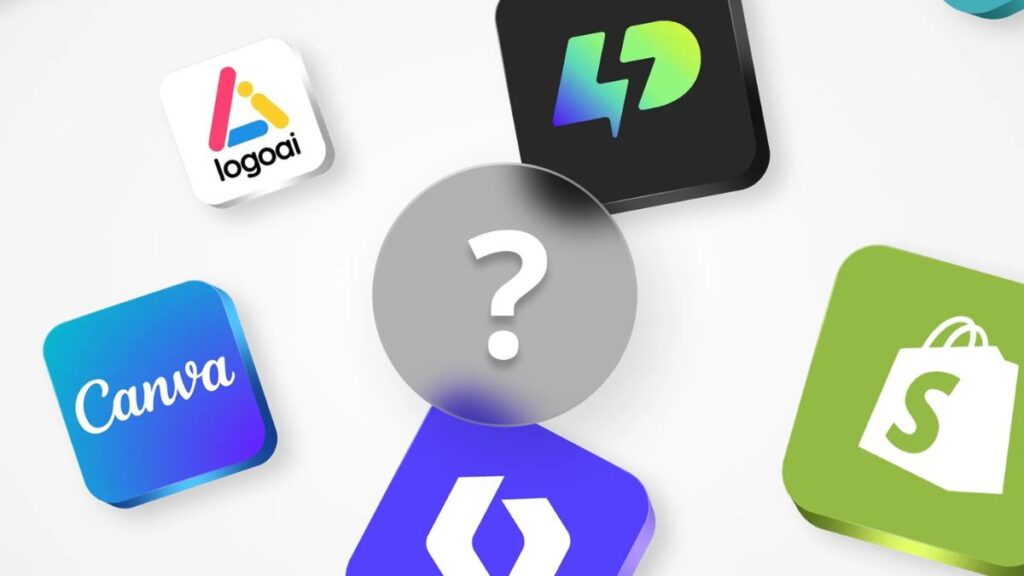
- Canva AI Logo Generator (Dream Lab) Easiest and most generous free tier. Text-to-logo via prompts, seamless editing, integrates into Canva ecosystem. Perfect for beginners, freelancers, or quick social-first brands. High customization and collaboration.
- Logo Diffusion Top for creative originality. Pure diffusion-model generation, supports sketches/references, true vectors, high uniqueness. Excellent if you want standout, non-template icons.
- BrandCrowd / Logo.com / Wix Logo Maker Strong value/free plans. BrandCrowd offers huge template libraries; Logo.com excels in free vectors; Wix ties perfectly into site building.
Quick Recommendation (March 2026):
- Free exploration → Canva or Design.com
- Professional brand kit → Looka
- Maximum originality → Logo Diffusion
Step-by-Step: Create Your Logo Today
- Choose a tool (start with Canva or Design.com for free access).
- Input brand name, industry, style prompt (be specific: colors, mood, icons).
- Generate 20–50 options → shortlist 3–5 favorites.
- Customize via AI chat/editor (adjust spacing, gradients, fonts).
- Preview on real mockups (site, card, app icon).
- Download vectors + brand kit.
- Run trademark check (Pakistan IPO + global basics).
- Apply to profiles, site, materials.
Pro tip: Detailed prompts win — mention “negative space,” “asymmetric,” or “retro-modern” for sophisticated outputs.
The Future of AI in Logo & Graphic Design
Late 2026–2027 trends point to multimodal creation (voice + sketch + image refs), AR previews, tighter no-code integration, and ethical/originality safeguards. AI handles execution; humans keep strategy and soul.
AI logo generator tools democratize professional visuals so more ideas launch faster.
Conclusion
In March 2026, AI logo generators like Design.com, Looka, and Canva deliver results that rival paid work from a few years ago — at a fraction of the time and cost.